Home > Product > Servo control system > ETOP05EB-0050 touch screen
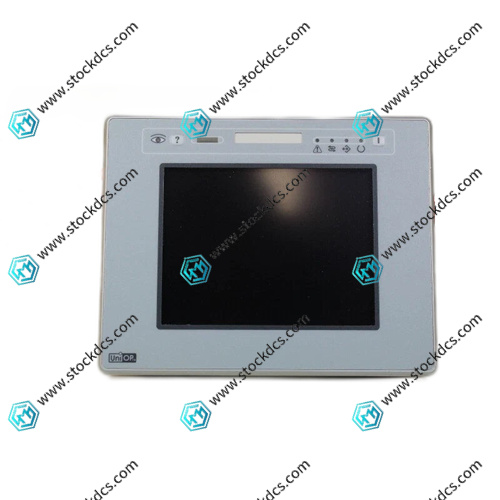
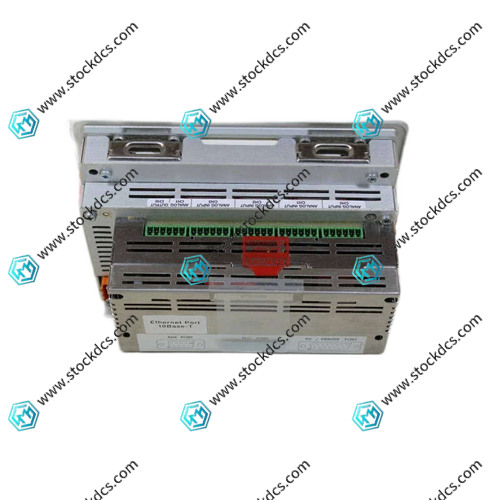
ETOP05EB-0050 touch screen
- Goods status: new/used
- Delivery date: stock
- The quality assurance period: 365 days
- Phone/WhatsApp/WeChat:+86 15270269218
- Email:stodcdcs@gmail.com
- Tags:ETOP05EB-0050
- Get the latest price:Click to consult
Product Details Introduction
The installation of UniOP eTOP05EB-0050 requires the use of standard panel mounting holes with a fixed torque of 80-100N · cm to avoid vibration affecting touch accuracy.
Before wiring, confirm that the input voltage matches the rated specifications of eTOP05EB-0050. It is recommended to use a DC regulated power supply to prevent voltage fluctuations from damaging the motherboard.
The touch screen needs to be programmed using UniOP Designer 6 software, ensuring compatibility between the software version and the device runtime version.
The communication line uses shielded cables and supports buses such as Profibus/CANopen (optional modules are required), with a distance of ≥ 20cm from the power cable to prevent interference.
Regularly clean the surface of the eTOP05EB-0050 screen with a slightly damp soft cloth, avoiding the use of organic solvents and protecting the resistive touch layer from damage.
The operating environment temperature is controlled between 0 ℃ and+50 ℃, with a humidity of 10% -90% (no condensation), suitable for harsh industrial environments.
When using or touching offset for the first time, 5-point calibration needs to be completed through the standard calibration mode (long press the clear button) to ensure operational accuracy.
Tighten the wiring terminals with a torque of 0.8-1.0N · m, and crimp multiple wires with copper noses to avoid loosening and causing communication interruption or unstable power supply.
Backup the application and recipe data of eTOP05EB-0050 every 6 months, and transmit them to the host for archiving via Ethernet to prevent loss.
Before restarting after being idle for more than 6 months, power on and preheat for 20 minutes. If there is no response to touch, emergency calibration can be initiated (press the screen during startup).
Summary: The stable operation core of the UniOP eTOP05EB-0050 touch screen lies in standardized installation, programming compatibility, touch calibration, and data backup. With rich communication drivers, flexible programming functions, and industrial adaptability, it can adapt to various human-machine interaction scenarios of automation equipment. Combined with compliant operation, it can fully leverage its high cost-effectiveness and reliability advantages, ensuring precise and efficient on-site operations.
ETOP05EB-0050 Product imag
ETOP05EB-0050 ontroller Module
SAT CM3141-02-03 CX3149-05 robot card
SAT CM3142-01-03 CX3147-04 Industrial Control Card PLC/DCS Spare Module
SAT RM3141-01-02 robot card
Other website links
HAI805 模拟输入模块
3BHE043536R0001模拟输入/输出模块
Honeywell 51303932-476串行设备接口模块
| 92407-01-1 | S60300-EI | 5347049-BR DSSX161 ABB |
| 92081-02-1 | CACR-SR05AB1ERY3-V | 26390603-A DSTK150 ABB |
| 92-005422-0x | CACR-PR30BC3CSY166E | PFCL301E |
| 90785-6-1 | 6DD1681-0DJ1 | 26390582-AY DSTK126 ABB |
| 90773-01-1 | CACR-SR30SZ1SDY230 | ABB UAC389AE02 HIEE300888R0002 |
| 8V1090.00-2 | CACR-SR-10SZ1SF | PFEA 113-65.4PXV |
| -8SL11 | CACR-HR10BABY5 | 26390603-BS DSTK181 ABB |